You get consistent characters in AI video by generating every shot against fixed reference images of the character instead of a text description. Descriptions are the reason characters drift: "a girl with brown braids" fits millions of faces, and every generation samples a different one. Reference conditioning moves identity from the text channel, where it is mush, to the image channel, where it is exact, and it is the feature to demand from any tool you evaluate.
A generative model does not remember your last image; unless a tool deliberately feeds it back, each render starts from noise plus your words. Words underdetermine faces spectacularly. Brown braids, teal vest, cheerful: that is a casting call, not a person, and the model holds an audition every time you press generate.
So the third shot's girl has rounder cheeks, the vest saturates, the braids shorten. No single image is wrong. The film is wrong, because film grammar assumes the person in shot four is the person from shot one, and viewers track faces above literally everything else on screen.
Longer descriptions narrow the audition; they cannot end it. Seeds pin a single composition, not an identity across new poses and angles. Negative prompts subtract qualities without fixing any. These tricks reduce drift enough to tantalise and never enough to cut a film from, which is roughly worse than failing outright, because you find out in shot nine.
The character has to exist once, as approved images, and every subsequent generation must be conditioned on those images. Then a new shot is not "draw a girl with braids" but "draw this girl, walking". Identity moves from the text channel, where it was mush, to the image channel, where it is exact.
Here is what holding identity looks like across a shot, including the middle frame the model generated on its own:
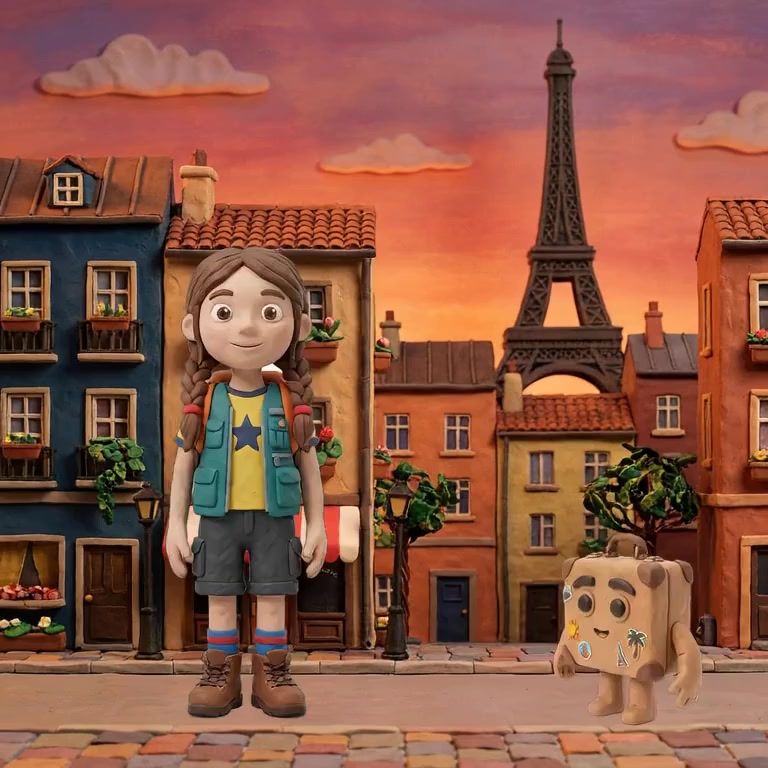
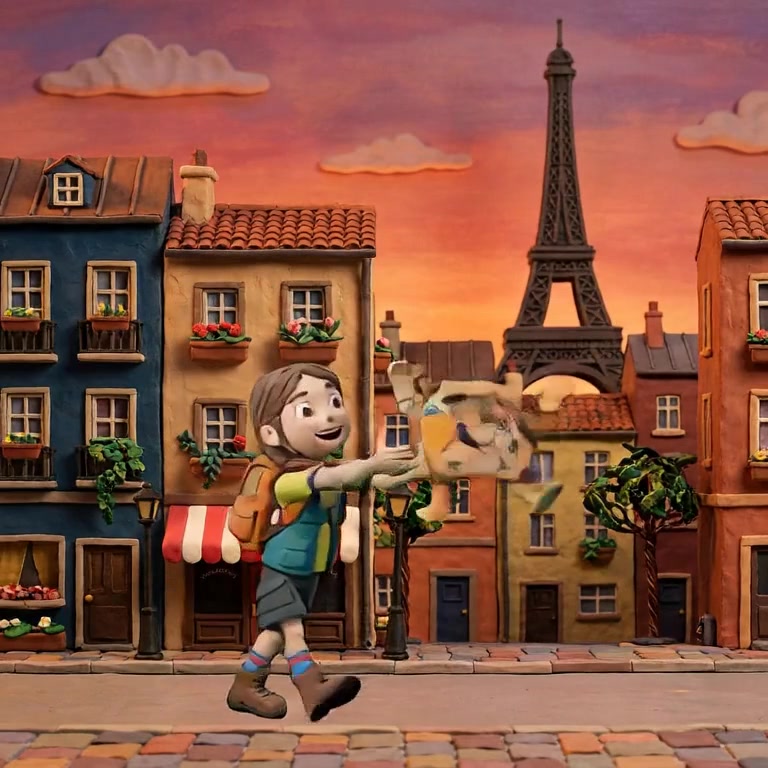
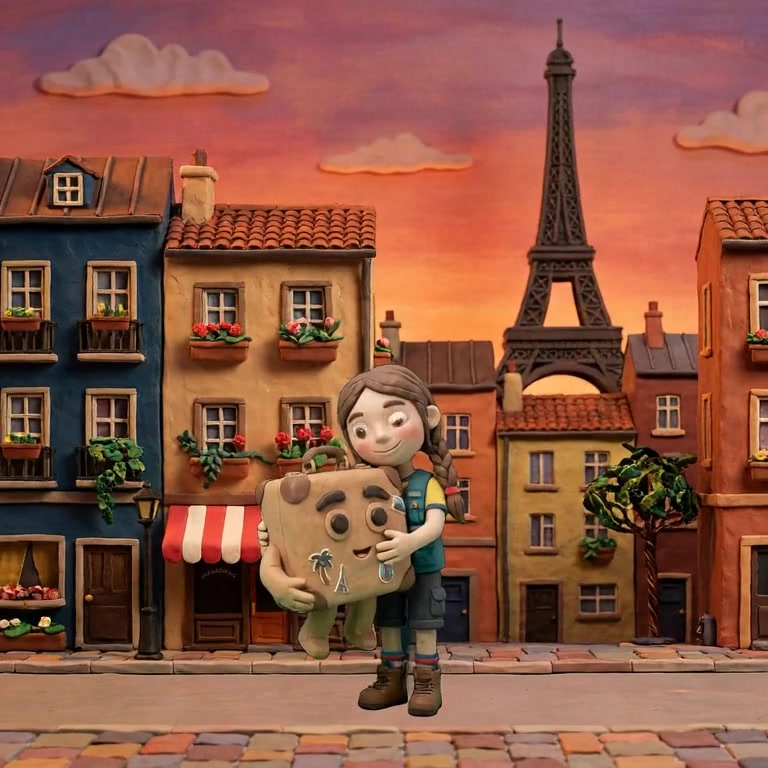
It survives style changes too, which is the strongest proof identity and rendering are genuinely separate inputs. Same girl, five materials:
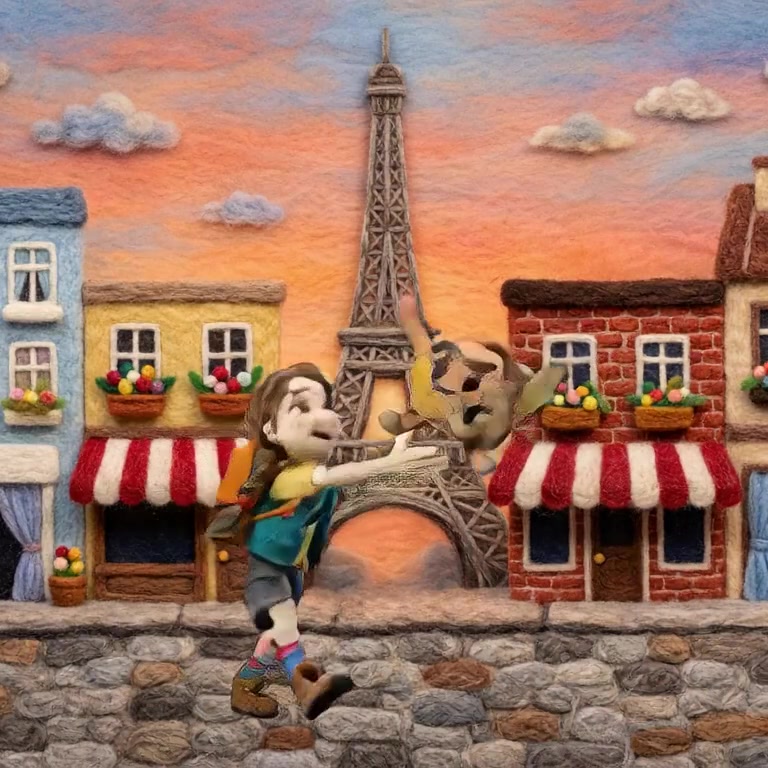
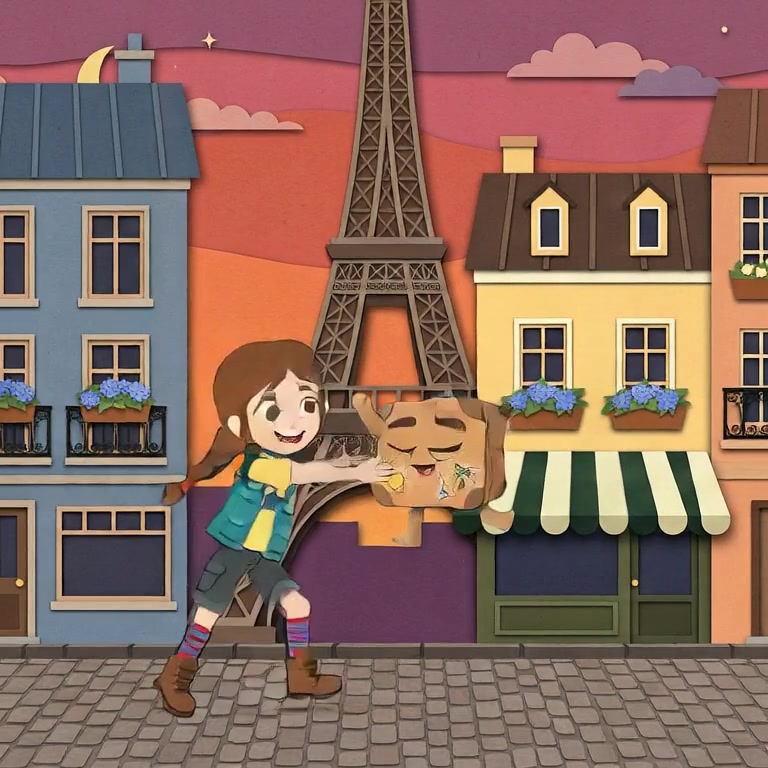
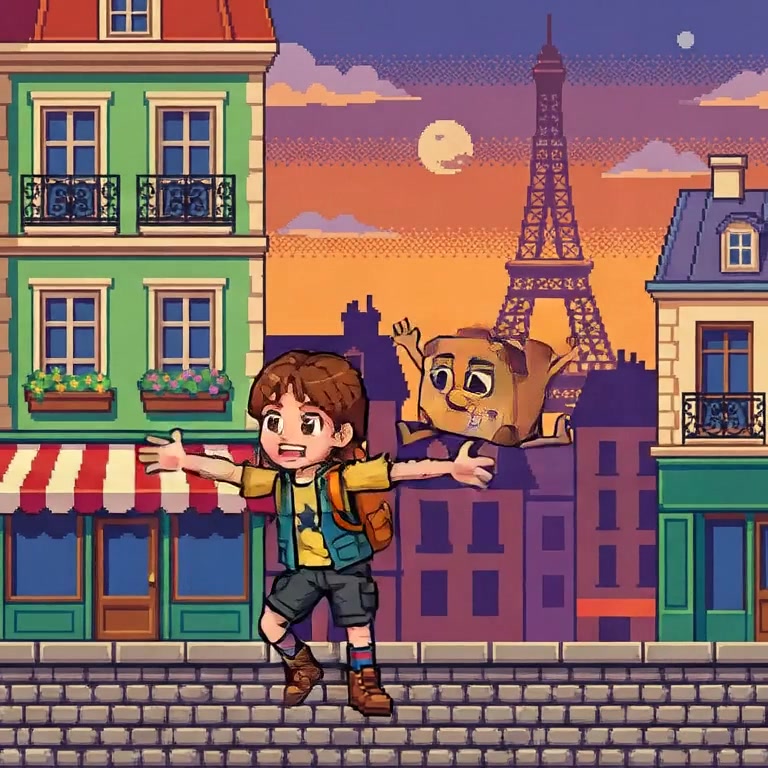
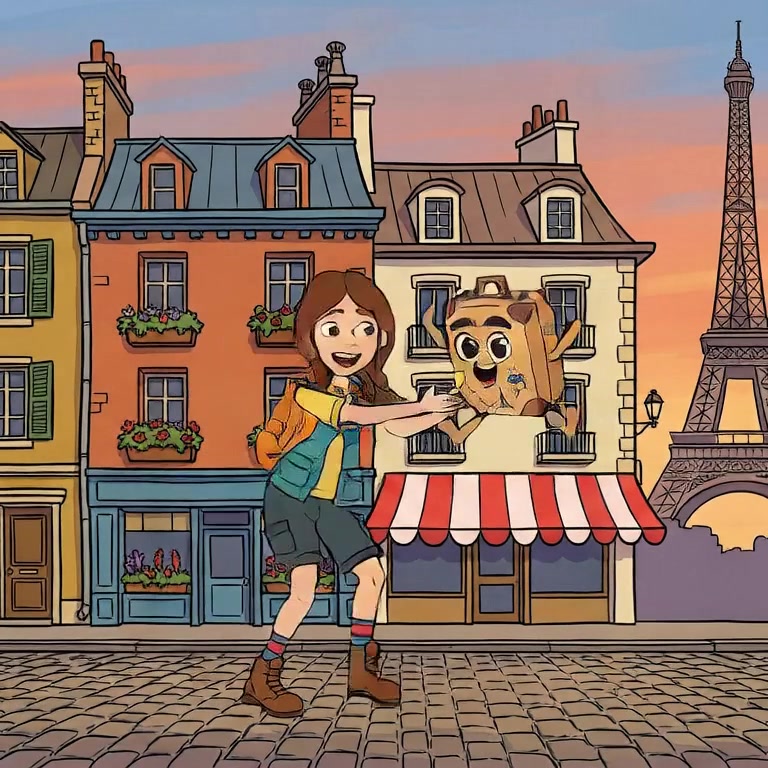
Nima builds character consistency in at the project level rather than offering it as a setting. A character is created once, its reference art is approved once, and every keyframe generated afterwards is conditioned on that reference. The same girl survives a change of pose, a change of camera, and even a change of art style, which is the demonstration above.
Nima's free plan opens three finished films with their casts intact, so you can regenerate shots and watch the characters hold. Try Nima free.
Make a character. Generate one shot of them standing, one walking, one in close-up. Line the three up and ask a stranger if it is one person. If the tool needed a paragraph of prompt duct tape to pass, it will fail you at scale, because every extra shot is another roll of the same dice.
No. A seed reproduces one specific image. Ask for a new pose or angle and the seed is generating from different noise anyway; identity does not ride along.
Video models hold identity reasonably well inside one generation window; the sharp breaks appear between separately generated shots. That is why consistency is a pipeline property, not a clip property.
Supplying images of the subject alongside the text, so the model is constrained to draw that subject rather than any subject matching the words. It is the mechanism behind every tool that genuinely holds characters.
Nima generates every shot against your character's locked reference sheet, which is why its leads stay themselves. Try it free.