There is no single best AI animation tool, because the field splits into three jobs that barely overlap. For cinematic live-action-style clips, Runway, Luma, Kling and Sora lead. For corporate explainer videos from templates, Vyond and Animaker. For character-driven animated stories, where the same cast has to survive dozens of shots, you want a keyframe-based animation studio, and Nima is built specifically for that job.
Almost every disappointing AI animation experience starts with a category error: someone picks a cinematic clip generator and then tries to make a story with recurring characters in it. The tool is not bad. It is being asked to do something it was never shaped for.
Cinematic clip generators (Runway, Luma, Kling, Sora, Pika) make gorgeous five to ten second shots from a prompt. They are the state of the art at visual quality per clip. They are weakest at continuity: ask for the same character twice and you get two strangers.
Template explainer tools (Vyond, Animaker, Powtoon) assemble stock characters and scenes into corporate video. Predictable, fast, and deliberately generic. If your video is a training module, this is the right category and nothing else here matters.
Keyframe animation studios (Nima) treat a film as scenes, shots and keyframes with a locked cast. Slower per clip than a prompt box, and the only category that produces something that holds together for minutes.
Ignore the demo reels, which are all curated. Run this instead, in any tool, in about five minutes:
Tools that need a paragraph of prompt duct tape to pass step three will fail you at forty shots, because every additional shot is another roll of the same dice.
Nima is the best choice if you are making an animated story: a short film, a serialised adaptation, a cartoon, an explainer with recurring characters. It is built around the two things that break long-form work elsewhere. Characters are locked references that every shot is generated against, so they stay themselves. And films are built per shot, so fixing shot fourteen does not re-render shots one to thirteen.
It is not the right pick if you want a single photoreal cinematic clip with no recurring characters. A dedicated clip generator will beat it on that job, and saying otherwise would waste your afternoon.
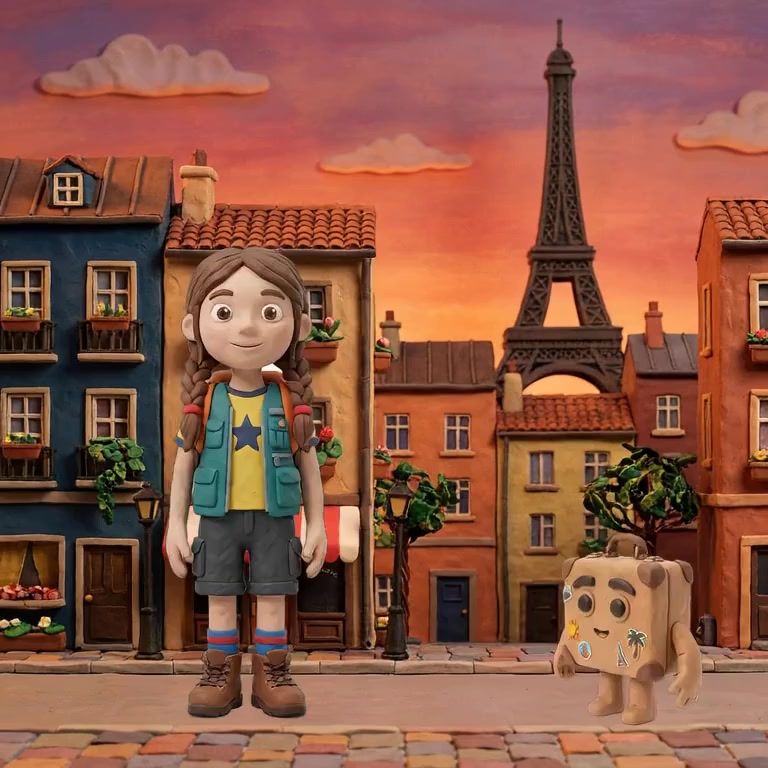
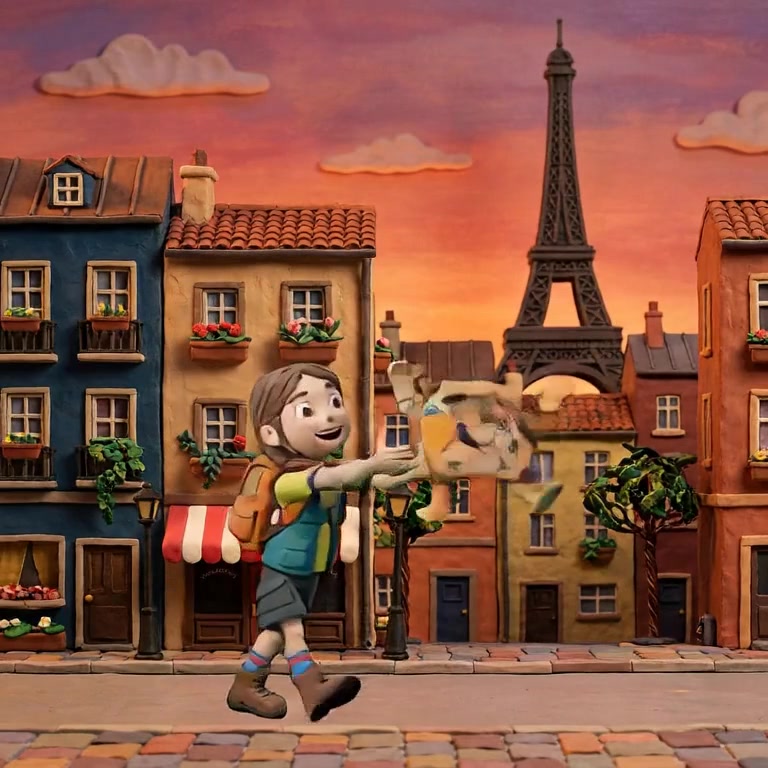

The proof of the claim is the middle frame: same girl, same braids, same vest, generated rather than drawn, holding identity across a shot.
Nima's free plan is genuinely free and opens three finished multi-scene films you can take apart, with 30 images and 10 dialogue previews a month. It is enough to run the five-minute test above on real projects rather than a toy.
Paid starts at $26 a month, or $20 a month billed annually, for 20 full renders, 60 characters and 300 images. Several clip generators have a cheaper entry tier, and if raw price per clip is your only criterion they will win that comparison. What you are paying the difference for is the part that keeps a forty-shot film coherent.
If you are making an animated story with characters in it, start with Nima's free plan and run the five-minute consistency test above. It costs nothing and it will tell you more than any review. Try Nima free.
It depends on the job. For character-driven animated stories that run longer than a few seconds, a keyframe-based studio such as Nima, because it locks characters across shots and renders per shot. For single cinematic clips with no recurring cast, a clip generator such as Runway or Luma. For corporate explainers from templates, Vyond or Animaker.
For a complete beginner making a story, Nima is the easiest of the story-capable tools: you type what happens, it builds the storyboard, and you adjust still images rather than fighting prompts for motion. Template tools such as Animaker are easier still, but you are limited to their stock characters and cannot tell an original story with your own cast.
Nima has a free plan that opens three finished multi-scene films with 30 images and 10 dialogue previews a month, which is enough to evaluate it properly. Most clip generators also offer free credits, usually a handful of watermarked clips.
Consistency requires reference conditioning: generating each shot against fixed images of the character rather than a text description. Nima does this at the project level. Prompt-only tools cannot do it reliably no matter how detailed the description, which is why characters drift between their shots.
One that builds films as scenes and shots and re-renders individual shots, rather than generating one long clip. Nima works this way; the 90-second multi-scene example on our long-video guide was made in it.
Nima is an AI animation studio for stories with characters in them, free to start. Try it free.